Sam's Door Shop
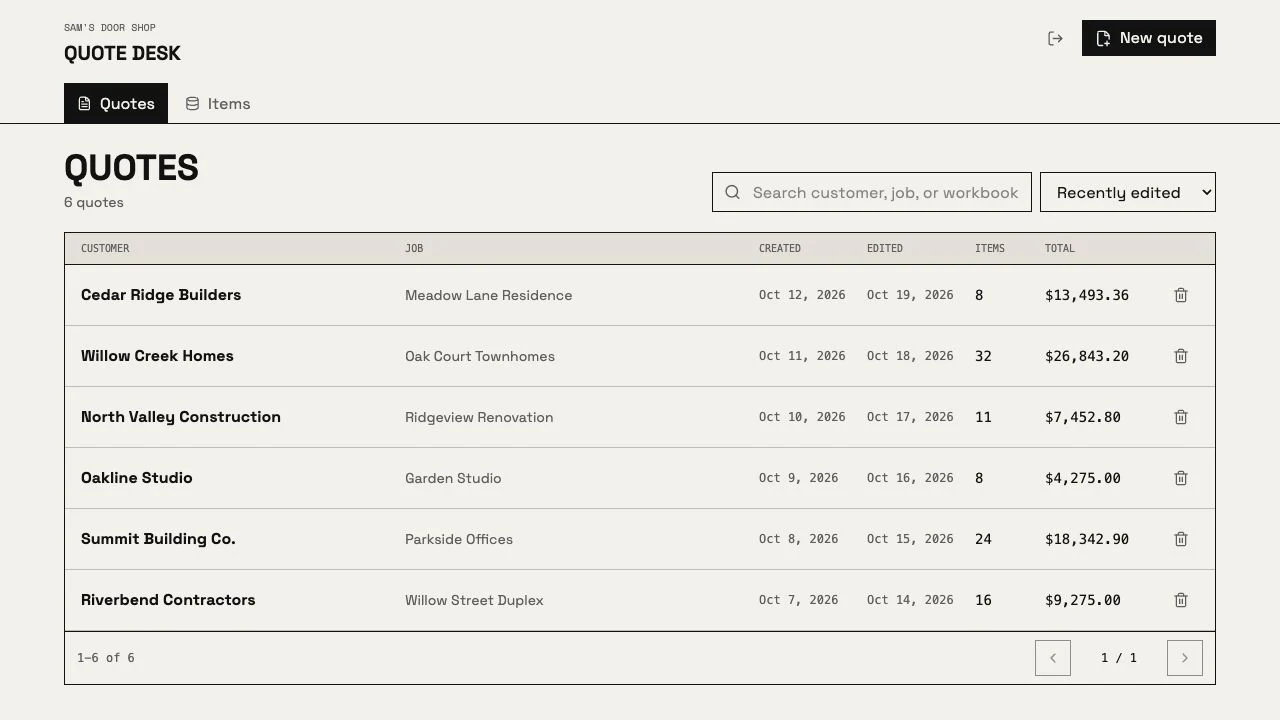
Sam’s Door in Chico quotes doors and windows for whole apartment buildings. Counting them used to be done by hand, on paper, from plan sets as long as 185 pages. Now the shop uploads the PDF and gets the count. In the first 11 weeks they wrote 92 quotes for 73 customers in the quote desk we built, more each month.
- 92
- quotes written in the first 11 weeks
- 73
- customers quoted
- About 8 s
- to read the door list of a 185-page plan set
- 2,709
- old quote files imported and searchable
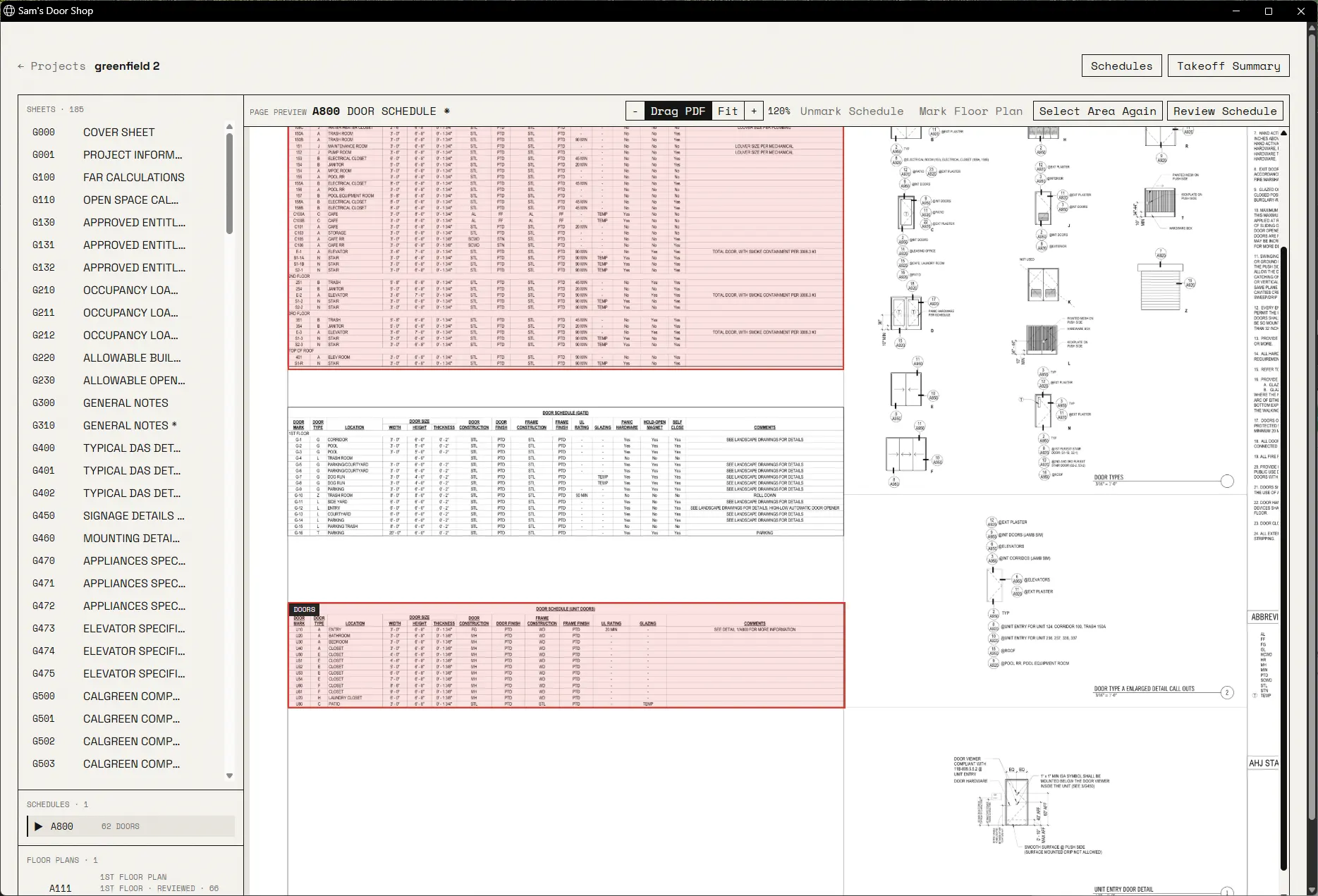
Their estimator showed us what he does to work out the door and window schedules. It was all physical and very painful. After that he made a new Excel sheet and filled it out by hand.
The boss wanted a faster way to quote. They also need their data stored locally, so the counting app is installed on their own Windows machine.
| Before | Now | |
|---|---|---|
| Counting doors and windows | By hand, on paper plans | Upload the PDF. The door list for a 185-page set is read in about 8 seconds, then checked by a person |
| Finding an old price | Open old Excel files one at a time | Search 2,709 past quotes and 13,133 items in one place |
| Writing a quote | A new Excel sheet, typed by hand | Pick items, set quantities, export in the shop’s own Excel format |
| From a count to a quote | Retype everything | The estimator drafts the quote and asks about what it cannot match |
The quote desk went to the shop on 20 August 2026. By 5 November it had 92 quotes for 73 customers, written on 41 different days.
With the imported history it now holds 4,192 quotes and 31,587 quote lines.
The work grew four times with the same client: the counting app in April, the quote desk in August, the estimator in October, and supplier prices in November. Nothing was billed until we had shown the first one could be done.
“looks solid thank you for this”
From the shop, by email
Most of what we built after the first version came from the estimator using it on real jobs.
He got confused counting across buildings and unit types, so we added multipliers for both. The same day he sent back a finished customer quote, itemized per unit type.
An estimate run stalled in front of the client during a demo. Two weeks later a job started in 0.6 seconds, down from 5.2, and a stalled run restarts itself within 45 seconds.
| Request | Asked | Live |
|---|---|---|
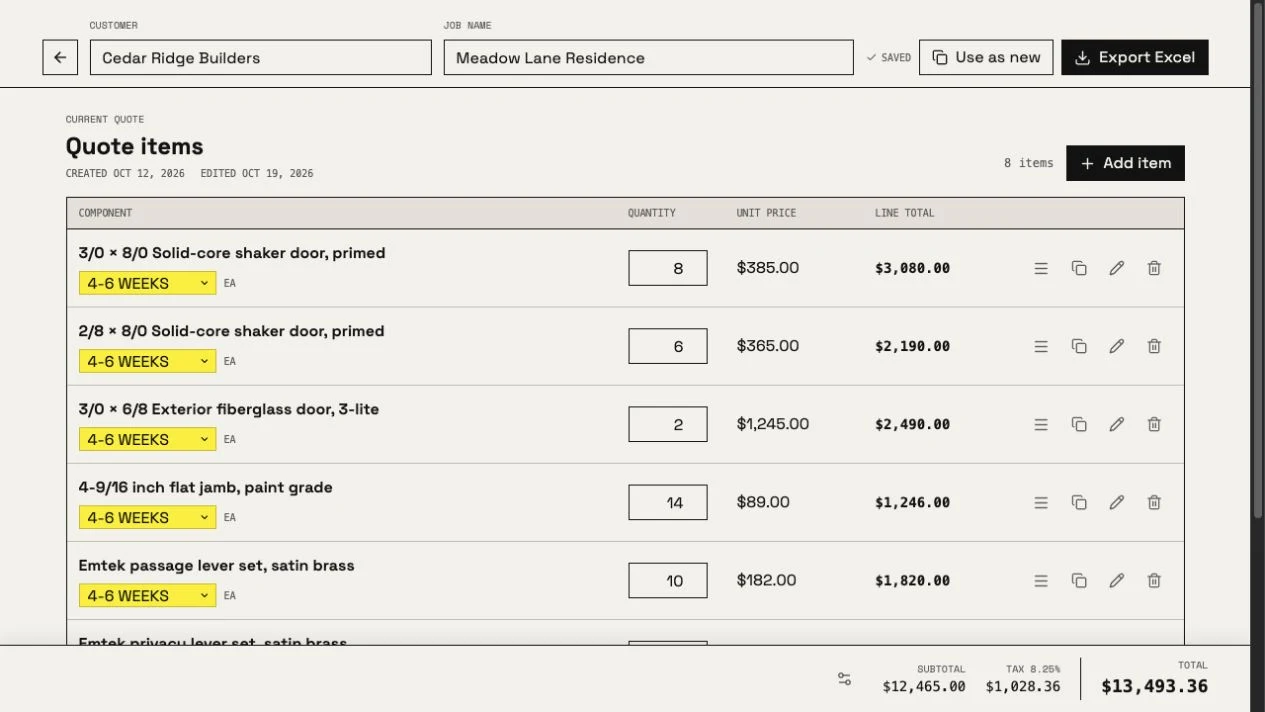
| Lead times on each quote line | 3 September | 8 September |
| A bug, with 18 log files attached | 16 July | Fixed 16 July |
| Multiply units as well as buildings | July | 22 July |
| Reopen an old quote and reuse it for a new customer | 20 August | 21 August |
| Cost from the shop’s own supplier discount sheet | 4 November | 4 November |
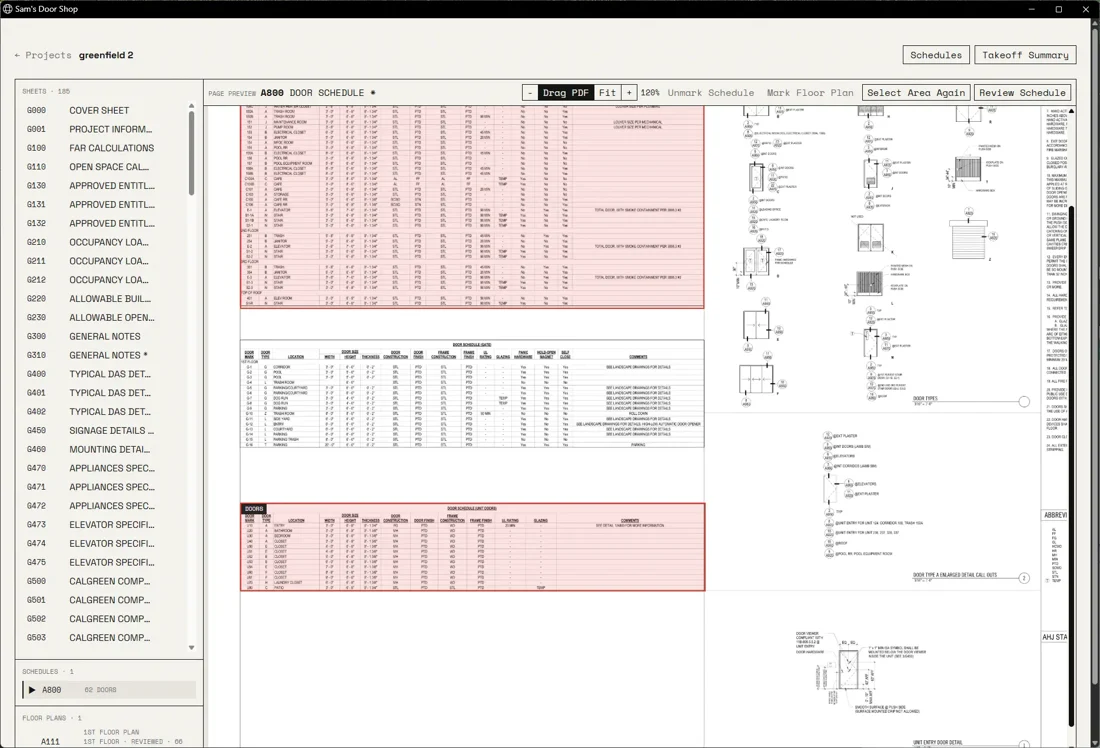
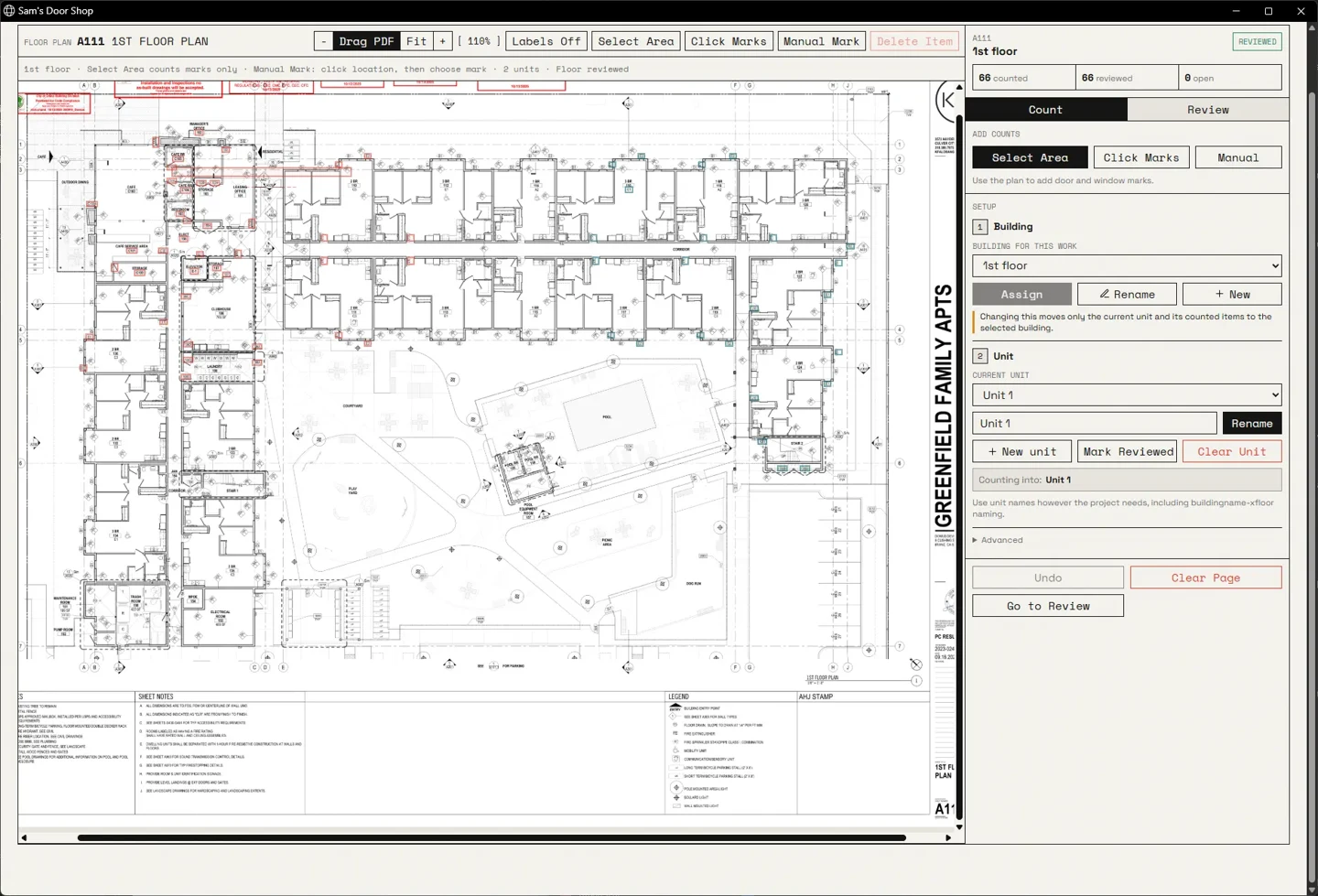
The estimator uploads the PDF and gets a detailed index of the sheets, then marks the schedules. Then he goes to each floor plan and adds the doors and windows, and the walls they’re attached to.
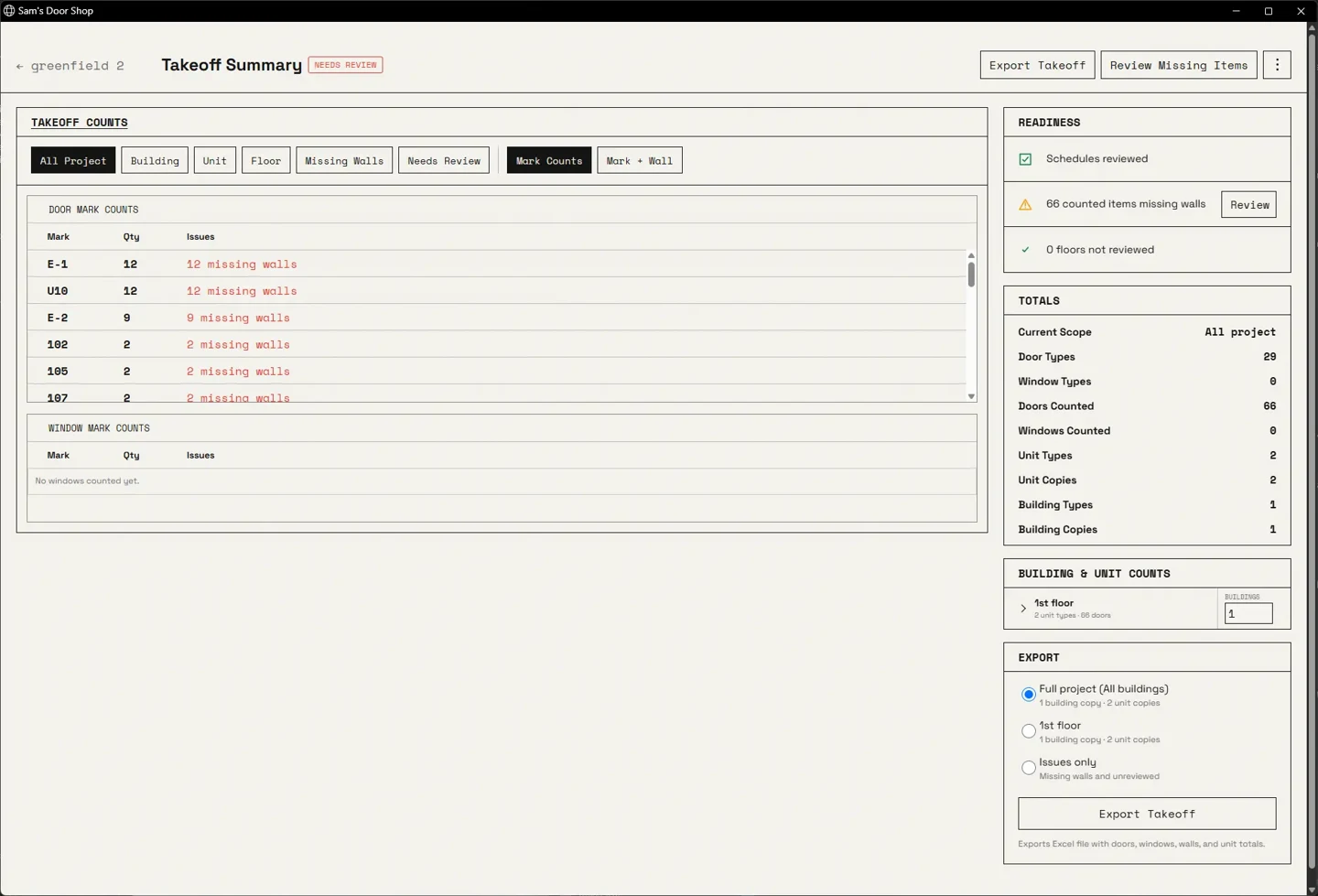
Then the takeoff summary adds the units together, then the buildings, then the total.
It used to have buildings, floors, and units. That was too complicated, so we removed floors. Units can be multiplied now too, not just buildings.
We tested different ways of reading the same plans. The simplest one got all 41 door rows right and cost about a quarter as much to run, so that’s the one the app uses.
Every row still gets reviewed by a person before the export.
Every time we updated the app we had to upload it to Google Drive, send them an email, wait for the download, then replace the app carefully so there were not two versions on their desktop.
Since 6 August the app has a Windows installer and updates itself. There is an update button on the home screen.
Every quote used to be a new Excel sheet, filled out by hand. The quote desk has 13,133 active items, with prices, customers, quotes, and history.
We cleaned up the database for duplicates slowly and carefully, and standardized the naming scheme. The catalog went from 15,280 raw records to 13,133 without changing a single historical price.
He almost never looks a price up. It is almost always inferred from the old quotes. So the item search has to get the closest result to what he wants.
We added the common lead times from the old quotes to a dropdown. In the Excel export, items with the same lead time are grouped together, and item notes are red and italic.
The estimator takes the takeoff and finds the items the shop has quoted before. We tested it on 4,458 quote lines it had never seen.
66% of those lines were items never quoted for an earlier customer. For those it asks a question. It does not guess a price.
| Measure | Keyword search | Current search |
|---|---|---|
| Correct item in first result | 10.3% | 46.2% |
| Correct item in top 5 | 29.4% | 76.8% |
| Correct door opening in top 5 | 3.5% | 80.8% |